Zephyr setup and hardware integration
Configure, build and flash Zephyr firmware on STM32. Use Device Tree and driver interfaces to connect peripherals.
See the detailed course outline Training & Capability DevelopmentLearn. Practise. Apply.⌕
Configure, build and flash Zephyr firmware.
Build and debug firmware with Zephyr RTOS on STM32. Progress from toolchain setup to multithreading, interrupt handling and device integration.
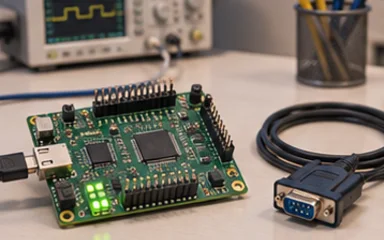
Configure, build and flash Zephyr firmware on STM32. Use Device Tree and driver interfaces to connect peripherals.
See the detailed course outlineCoordinate concurrent firmware work and examine how interrupts, deferred work and memory use affect behaviour.
See the detailed course outlineUse debugging and profiling tools to investigate firmware and bring the course topics together in a capstone.
See the detailed course outlineReview Zephyr and its STM32 environment, then install the SDK, toolchain and programming tools named in the outline. Build and run a sample on STM32F446RE before examining Kconfig, CMake, west and project structure. The practical work adds LED and UART output to a basic application. Participants connect configuration and source layout with the commands and tools that build, flash and run firmware.
Set up GDB and OpenOCD and inspect firmware through breakpoints, watchpoints, stepping, variables and registers. Review the Zephyr device model and the use of STM32 Device Tree descriptions and overlays. The practical activity implements GPIO control for an LED and button. Participants connect source level investigation with the configuration and driver mechanisms that make hardware resources available to a Zephyr application.
Create Zephyr threads and examine priorities, preemption and scheduling. Coordinate work with mutexes, semaphores and message queues while considering stack sizing and allocation. The outlined labs combine LED and UART activity, then introduce a fault for debugging. Use backtraces, registers, memory maps and runtime profiling to investigate execution and CPU load, connecting application structure with evidence about resource use and failures.
Handle hardware interrupts on STM32 and examine deferred work through bottom halves and workqueues. Develop an interrupt driven button to LED example, then extend communication to UART, I2C and SPI peripherals. The outlined activities connect asynchronous events with bus transactions and application work. Participants consider how to organise peripheral interaction without placing unsuitable processing directly in an interrupt handler or obscuring the event flow.
Review STM32F4 memory organisation and measure heap and stack use, including the investigation of leaks. Apply the course mechanisms in a complete Zephyr application on STM32F446RE. The capstone combines threaded sensor acquisition over I2C, interrupt driven GPIO events and command based UART control. The day connects memory decisions with the interaction of threads, peripherals and events in a single working firmware design.
Need the detailed syllabus? Request the course outline.
Check prerequisites and confirm the course fit with Timmins for your role, experience and selected delivery.
Check the course outline for the software, development environment and any target hardware. Confirm installation steps, versions, equipment access and lab arrangements before joining.
Ask which preparation materials, follow-up resources or trainer support are included in your selected delivery.
Confirm the certificate, completion requirements and any assessed activities for your selected batch. A practical project does not by itself establish an assessed skills award.
Understand certificates and assessments →Confirm dates, venue, fees, available seats and delivery arrangements with Timmins before booking.
Ask Timmins about upcoming dates for this course.
View the public training calendar →Ask about another date or team delivery. Share your preferred timeframe, city or delivery mode and participant numbers. Timmins will discuss the options; dates, trainer availability, delivery and fees must be confirmed separately. Sending an enquiry does not reserve a place or confirm a class.
Your selected course is included in the draft. Review it and press Send in your messaging app.
Embedded firmware and RTOS engineers developing Zephyr applications for STM32.
Comfort with embedded systems development and proficiency in C programming.
Check the outline and confirm the software environment, hardware, equipment access and setup requirements for your selected delivery. Do not assume all courses use the same board or lab environment.
The course topics describe the technical scope. Ask Timmins to confirm the labs, demonstrations and any assessed activities for your selected programme. Completion and assessed credentials have different requirements.
Discuss an in-house session with Timmins. Share the team’s roles, systems and intended outcomes so the scope, prerequisites, delivery and any adaptations can be agreed.