

Expert-led · Hands-on · Workplace-relevant
Build Skills That Make a Difference at Work.
Practical training across banking, manufacturing, technology and more—from fresh graduates to senior leaders. Public courses and customized in-house programmes for SMEs and MNCs.
 Claimability applies to eligible programmes. Confirm your selected course with Timmins.
- Customized Courses
- 250+
- Professionals Trained
- 5,500+
- Corporate Clients
- 110+
- Countries Reached
- 10+
Expert-led Training Hands-on Labs Real Workplace Application For Professionals & Teams
Technology training for your team and your next role.
Choose scheduled public courses or discuss customized in-house training around your team’s engineering and workplace needs.
Explore training by technology, role or workplace goalExplore Our Training Areas
Build the technical, digital and professional capabilities relevant to your work.
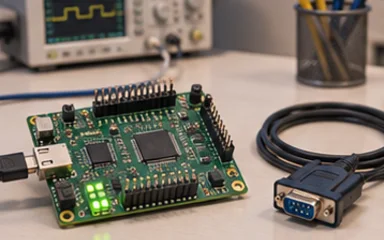
Embedded Software & Systems
Build and debug embedded systems with Linux and Yocto.

Automation & Software Development
Automate repeatable tasks with Python and Power Automate.
Data & Business Analytics
Build Power BI reports that support business decisions.

Artificial Intelligence
Explore AI and generative AI for practical workplace tasks.
Proven Results Across Industries
Explore banking, product engineering and semiconductor case studies. Images illustrate the training topics.
HRD Corp guidance for employers
Eligible employers may apply for applicable programmes, subject to current requirements and approval. Ask Timmins to confirm your selected programme and supporting documents; funding is not automatic.
Check employer guidance and programme eligibilityLearn. Practise.
Apply.
Understand the tools, practise realistic tasks and discuss how to apply your skills with an experienced trainer.
Upcoming public classes
Explore practical training with public class dates, cities and venues.
Python Automation for Engineers
- Duration
- 3 Days
- City
- Penang
- Venue
- Timmins Training Centre, Penang
- Next class
- 25–27 Jan 2027
- Format
- In person
- Status
- Open
Also scheduled: Penang · Kuala Lumpur. See the calendar for all dates.
Finance Transformation with Power BI : From Data to Decisions
- Duration
- 3 Days
- City
- Penang
- Venue
- Timmins Training Centre, Penang
- Next class
- 18–20 Jan 2027
- Format
- In person
- Status
- Open
Also scheduled: Kuala Lumpur · Penang. See the calendar for all dates.
Embedded Linux System Internals
- Duration
- 5 Days
- City
- Penang
- Venue
- Timmins Training Centre, Penang
- Next class
- 1–5 Mar 2027
- Format
- In person
- Status
- Open
Also scheduled: Penang. See the calendar for all dates.
Build Skills
Step by Step.
Start at the level that matches your experience; you do not need to complete every stage. Choose a pathway for engineering, AI, automation or business analytics, then check the course prerequisites.
Foundation
Check your Linux and C starting knowledge.
Applied Skills
Build and boot an embedded Linux system.
Advanced
Explore BSP, porting and Yocto builds.
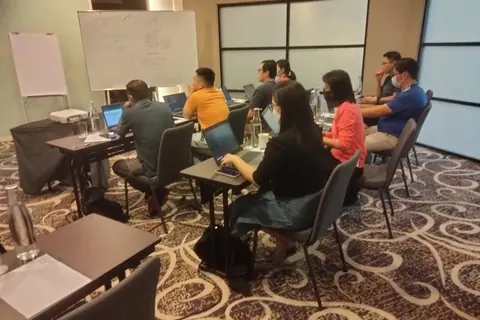
See Training in Action.
See the classroom experience and explore a practical embedded Linux build.
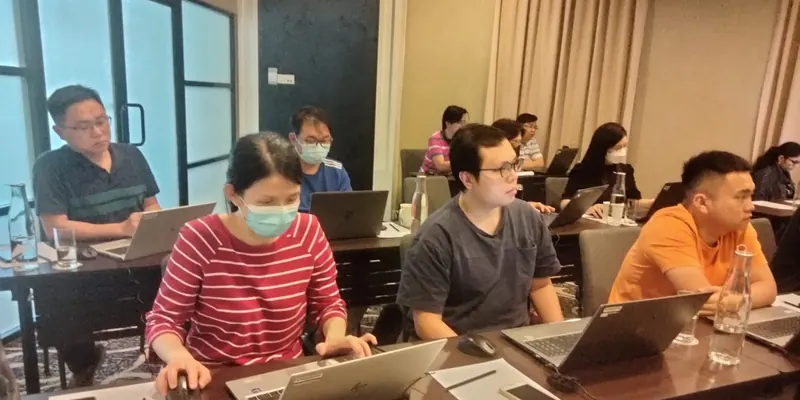
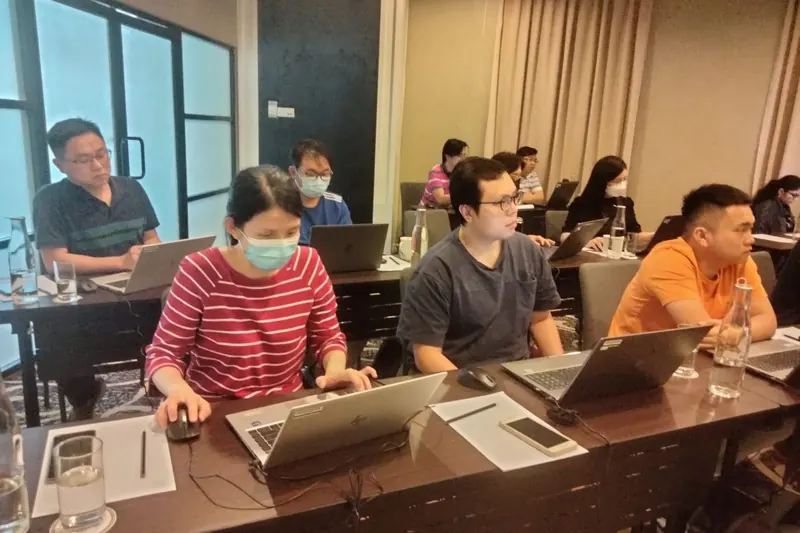
Interested in the technical scope? Read the Embedded Linux practical outline.
Participant
Feedback
What participants say about their training.
Browse participant feedback with Previous and Next.

Participant feedbackM. A. N. · Test Engineer · TeradynePython Automation for EngineersTraining attended: 16–18 November 2026
Instructor is really experienced in the field and able to answers and explains well every questions

Participant feedbackW. L. · bank · CitigroupAI-Assisted Enterprise Workflows & Banking ProductivityTraining attended: 25–26 June 2026
open mind on how does AI can assist our work more efficiently and learn the prompt more clearly

Participant feedbackM. D. A. S. · Solution Enabling Engineer · IntelEmbedded Linux Debugging and Performance OptimizationTraining attended: 21–23 October 2026
The most valuable is the lab & hands on experience with the hardware and detailed explanation from the instructor & slide. Will help on future work where it need real hands on experience especially with hardware

Participant feedbackR. K. · Senior Executive · Robert BoschLeveraging Gen AI at WorkTraining attended: 5–6 October 2026
In drafting email, preparing slides and generating content.
Participant feedbackM. F. A. M. J. · Technical Writer · IntelPython Automation for EngineersTraining attended: 16–18 November 2026
Understanding the concept and workflow to develop a better tool
Participant feedbackT. S. · Graphics Software Engineer · IntelPython Automation for EngineersTraining attended: 16–18 November 2026
Able to refresh some of the knowledge and at the same time learned few new lessons. The trainer was good and the contents are made in a way that it can be understood easily by the beginners.
Participant feedbackD. N. · IT OnCall Support · ByteDancePython Automation for EngineersTraining attended: 22–24 June 2026
Understanding of the code structures and execute in real work applications

Participant feedbackB. D. · Engineer · AliranPython Automation for EngineersTraining attended: 22–24 June 2026
Help me understand how it works & in future help me if anything fault or error or give idea how to improve in my automation industry

Participant feedbackM. S. M. S. · Research Officer · Universiti Teknologi PETRONASPython Automation for EngineersTraining attended: 22–24 June 2026
Mr Karthik was very generous with explainations, answers, & guidance. Answered every questions in detail.

Participant feedbackH. D. · Test Engineer · VATPython Automation for EngineersTraining attended: 10–12 June 2026
Helped me understand the concepts better and gave me a good idea on examples and methods to implement python automation on industry level.

Participant feedbackY. C. · OpEx Engineer · SAMPython Automation for EngineersTraining attended: 10–12 June 2026
A lot of hands on and pratical which is important and helpful
Participant feedbackN. A. R. · Systems Validation Engineer · IntelPython Automation for EngineersTraining attended: 10–12 June 2026
Sufficient guidance and materials provided are easy to understand. Explanation given on each topics are detailed. The trainers are well prepared in providing assistance to attendees.

Participant feedbackR. L. · GM · Yollink Industries Sdn BhdPython Automation for EngineersTraining attended: 10–12 June 2026
Knowing the concept how to manipulating a file and generating reports.
Participant feedbackH. I. M. S. · Electronic Engineer · Public class participantPython Automation for EngineersTraining attended: 5–7 August 2026
The instructor explained every important processes and fundamental concepts and fixed my understanding of file management and data handling prior to conducting analysis. I really appreciate it as it resolves why am I encountering errors all the time.
Participant feedbackT. S. · Electrical Engineer · Public class participantPython Automation for EngineersTraining attended: 5–7 August 2026
I understand the basic functions of Python and how it works. I will apply what I learned in this training to future automation scripts for my work when handling with large data.
Participant feedbackN. A. S. · IT Application Support Executive · Public class participantPython Automation for EngineersTraining attended: 5–7 August 2026
I like the handson practice where I directly apply what I've learned. The example/ case study also easy to understand and simple to follow. Instructor's explanation was good too, showing that he's very experienced in the topic. After this training, i will try to apply in my daily task especially automating processing bulk data which will help me to work more efficiently. Scheduling task will eliminate manual task - such as downloading and replacing data source from user (to use as powerbi report source)
Participant feedbackN. J. L. · Audit and Issue Management (AML) · CitigroupAI-Assisted Enterprise Workflows & Banking ProductivityTraining attended: 29–30 June 2026
Different prompt techniques, data cleaning prompts. The trainer also provided different samples of cases/prompts to practice, those are very useful to practice how the prompts can be used in future for our daily BAU.
Participant feedbackH. S. · Data Analyst · CitigroupAI-Enhanced Machine Learning & Data Workflows for Banking & Enterprise SystemsTraining attended: 1–2 July 2026
It'll help with creating and integrating models into our solutions
Participant feedbackF. C. Y. · Data Analyst · CitigroupAI-Enhanced Machine Learning & Data Workflows for Banking & Enterprise SystemsTraining attended: 14–15 October 2026
This training showed how to use AI to accelerate model development process. It will be useful for me in my future projects.
Participant feedbackM. A. S. S. J. · Graphic Software Engineer · IntelEmbedded Linux Debugging and Performance OptimizationTraining attended: 21–23 October 2026
Its how he explained every details. Most of my work is related to Linux debugging and this will help me so much to have different ways on debugging.
Participant feedbackT. J. C. · System Validation Engineer · IntelEmbedded Linux Debugging and Performance OptimizationTraining attended: 21–23 October 2026
The most valuable part of this training was gaining new knowledge and practical skills that I can apply in my daily work. It will help me improve my work efficiency and accuracy
Participant feedbackF. K. S. · Senior hardware design engineer · Robert BoschLeveraging Gen AI at WorkTraining attended: 5–6 October 2026
How to write an effective prompts to use copilot for works
Participant feedbackL. V. K. · Software engineer · Robert BoschLeveraging Gen AI at WorkTraining attended: 5–6 October 2026
The technique to challenge the response from AI
Participant feedbackH. Z. Y. · Hardware Electronic Engineer · Robert BoschLeveraging Gen AI at WorkTraining attended: 5–6 October 2026
Learn how to give useful prompt and get the desired answer.
Participant feedbackL. H. H. · Test Engineer · Robert BoschLeveraging Gen AI at WorkTraining attended: 5–6 October 2026
Rich experience trainer, up to trend, techniques that he taught can definitely usable at my work area
Participant feedbackC. Y. L. · QMS Manager · Robert BoschLeveraging Gen AI at WorkTraining attended: 5–6 October 2026
Practical cases, case study

Participant feedback · summaryEngineer at MotorolaLinux Driver DevelopmentTraining date not recorded
The hands-on driver exercises were easy to relate to the work, and the trainer helped participants resolve problems during the labs.

Participant feedback · summaryEngineer at QualcommEmbedded LinuxTraining date not recorded
The participant valued the detailed explanations and how clearly the trainer walked through the material.
Participant feedback · summaryEngineer at CitigroupSAFe Certification TrainingTraining date not recorded
The practical PI planning exercise and regular recaps helped the participant understand the material and remember the key points.
Participant feedback · summaryEngineer at MotorolaRustTraining date not recorded
The training helped the participant understand their existing Rust code and make informed changes. They particularly valued the SerDes material.
Participant feedback · summaryEngineer at CitigroupPythonTraining date not recorded
The participant learned ways to simplify functions and improve the readability of their day-to-day Python code.
Our clients
Trusted across industries
Supporting professionals and teams across engineering, technology and business.













































Develop the Capabilities Your Team Needs.
Tell us your team’s roles, tools and skill gaps. Discuss practical training outcomes.
Practical resources
Explore Python automation training, business analytics or the Yocto vs Buildroot guide. Browse practical resources.
Frequently Asked Questions.
Find answers about choosing a course, delivery, certificates and employer bookings.
How do I choose the right course?
Start with the Explore Training hub or course catalogue. Check the audience, prerequisites, practical activities and outcomes on the course page. If you are unsure, ask a learning advisor to help check the fit.
Are the courses hands-on?
Practical activities vary by programme. Check the course page and outline for the labs, exercises, tools and equipment involved. Ask Timmins to confirm the practical scope and any setup requirements for your selected delivery.
How do I join a public class?
Choose a course and batch from the Public Calendar, then enquire about that batch. Timmins will confirm availability, fees, registration and payment arrangements.
Can you train our team in-house or online?
Discuss an in-house programme for your team or ask about live online delivery. Available formats depend on the course, trainer and lab setup. Share your team’s roles, tools and intended outcomes so we can discuss a suitable scope.
Can my company apply for HRD Corp funding?
Ask Timmins to confirm programme eligibility for your selected course and delivery. We can provide the relevant quotation, schedule, course content and trainer profile for your application. Funding is subject to the applicable requirements and approval. See the HRD Corp employer guide.
What certificate or assessment is included?
The credential and assessment arrangements depend on the programme. Check the course details and Certificates & Assessments guide. A completion certificate, an assessed skills award and external certification preparation have different requirements; confirm what your booking includes.
When will I receive materials and follow-up resources?
Full course materials are provided to confirmed participants. For self-funded bookings, access follows registration and payment. Any preparation, follow-up resources, access period or trainer support should be confirmed for your selected programme.
Still have a question? Contact Timmins →