AI-assisted FPGA design
Use GitHub Copilot to explore RTL design options and check suggestions against the intended hardware behaviour.
See the detailed course outline Training & Capability DevelopmentLearn. Practise. Apply.⌕
Use AI assistance for RTL and verification tasks.
Use GitHub Copilot to support FPGA design, RTL verification, debugging and documentation. Review generated suggestions against the design intent and test results.
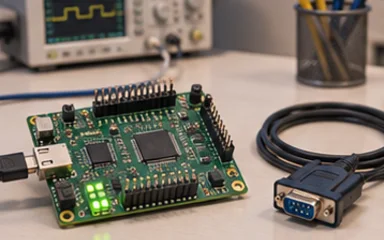
Use GitHub Copilot to explore RTL design options and check suggestions against the intended hardware behaviour.
See the detailed course outlineReview AI-assisted verification and debugging approaches against simulation or test evidence.
See the detailed course outlineApply the workflow in a practical capstone and document the engineering decisions and verification results.
See the detailed course outlineReview AI concepts, context and prompting in relation to FPGA work, then configure GitHub Copilot in the development environment described by the outline. Compare assistance modes and model choices using small RTL examples. The day also covers AI assisted code development and the review of generated suggestions. Practical work connects prompts with design intent, so output is examined as engineering material rather than accepted without verification.
Use Copilot to support testbench generation, simulation scripts and investigation of RTL errors. Explore the integration with verification tools, then consider automation and documentation within the FPGA workflow. The capstone brings design and verification activities together, requiring generated suggestions to be checked against requirements and available simulation evidence. The focus is on applying AI assistance while retaining engineering responsibility for the resulting hardware design and its validation.
Need the detailed syllabus? Request the course outline.
Check prerequisites and confirm the course fit with Timmins for your role, experience and selected delivery.
Check the course outline for the software, development environment and any target hardware. Confirm installation steps, versions, equipment access and lab arrangements before joining.
Ask which preparation materials, follow-up resources or trainer support are included in your selected delivery.
Confirm the certificate, completion requirements and any assessed activities for your selected batch. A practical project does not by itself establish an assessed skills award.
Understand certificates and assessments →Confirm dates, venue, fees, available seats and delivery arrangements with Timmins before booking.
Ask Timmins about upcoming dates for this course.
View the public training calendar →Ask about another date or team delivery. Share your preferred timeframe, city or delivery mode and participant numbers. Timmins will discuss the options; dates, trainer availability, delivery and fees must be confirmed separately. Sending an enquiry does not reserve a place or confirm a class.
Your selected course is included in the draft. Review it and press Send in your messaging app.
FPGA design and verification engineers evaluating AI-assisted engineering workflows.
Ask Timmins to confirm the starting knowledge and experience for this course before booking.
Check the outline and confirm the software environment, hardware, equipment access and setup requirements for your selected delivery. Do not assume all courses use the same board or lab environment.
The course topics describe the technical scope. Ask Timmins to confirm the labs, demonstrations and any assessed activities for your selected programme. Completion and assessed credentials have different requirements.
Discuss an in-house session with Timmins. Share the team’s roles, systems and intended outcomes so the scope, prerequisites, delivery and any adaptations can be agreed.
Compare FPGA, SerDes, analog and mixed-signal programmes.
View this training areaFor teams considering FPGA Design and Verification training in Malaysia, use the published learning outcomes and prerequisites on this page to check the fit before requesting a quotation.
FPGA design and verification teams can review the published Copilot-assisted workflow and confirm tool access and engineering preparation before booking. This is an enquiry example, not a promise to customise the course or solve a production issue.
The existing course page lists: Use AI assistance for RTL and verification tasks. Review generated suggestions against requirements and verification evidence.
Ask Timmins to confirm the starting knowledge and experience for this course before booking.
Describe your needs and prepare a message for Timmins. Nothing is sent or saved on this website. Review the draft and press Send in your email app or WhatsApp.