Python Fundamentals
Explore basic Python programming, Python and applications in test automation, and File handling, functions, and modules.
Explore the course learning plan Training & Capability DevelopmentLearn. Practise. Apply.⌕
Apply object-oriented programming concepts to instrument abstraction.
This program equips participants with both Python fundamentals and the practical skills to automate instruments using PyVISA and SCPI commands.
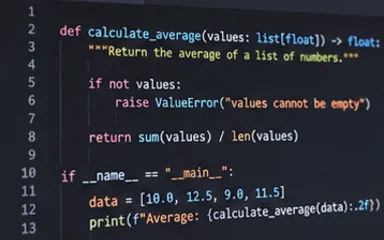
Explore basic Python programming, Python and applications in test automation, and File handling, functions, and modules.
Explore the course learning planExplore object-Oriented programming (OOP), classes, objects, methods, inheritance, and Regular expressions (search, substitute, split).
Explore the course learning planExplore Measurement automation & data logging, Automating data acquisition, and advanced instrument control & capstone project.
Explore the course learning planExplore basic Python programming, Python and applications in test automation, and File handling, functions, and modules. The discussion covers data structures: lists, dictionaries, tuples, Installing Python and IDEs (VS code, Jupyter), and syntax: variables, data types, operators. The section also examines Control structures (if, loops), File I/O operations: TXT, CSV, JSON, and Functions (parameters, return values, scope).
Explore object-Oriented programming (OOP), classes, objects, methods, inheritance, and Regular expressions (search, substitute, split). The discussion covers Special methods and super(), OOP for instrument abstraction in PyVISA, and generators, map, filter, enumerate. The section also examines Functional programming, Lambda functions, and List comprehension. Trace how the language construct affects execution and data handling, relating the example to code that another developer can read, reason about and maintain.
Explore SCPI and its syntax rules, First PyVISA connection & SCPI execution, and Example sequences for test automation. The discussion covers Opening connections (USB, TCP/IP, Serial). Connect the language features to the problem the code is intended to solve, tracing how inputs, program structure and execution produce the resulting behaviour.
Explore Measurement automation & data logging, Automating data acquisition, and advanced instrument control & capstone project. The discussion covers Synchronization and triggering, looping, timing, and error handling, and Logging to CSV/Excel. The section also examines data processing with pandas/numpy, Plotting results with matplotlib, and Controlling multiple instruments simultaneously. The discussion covers Writing reusable drivers (Python classes).
Need the detailed syllabus? Request the course outline.
Check the course fit for your role and experience. Confirm the prerequisites, delivery scope and preparation before booking.
Check the full outline for this course’s tools and technologies. Confirm software versions, licences, accounts, equipment, access and installation requirements before joining.
Ask which preparation materials, follow-up resources or trainer support are included in your selected delivery.
Confirm the certificate, completion requirements and any assessed activities for your selected batch. A practical project does not by itself establish an assessed skills award.
Understand certificates and assessments →Confirm dates, venue, fees, available seats and delivery arrangements with Timmins before booking.
Ask Timmins about upcoming dates for this course.
View the public training calendar →Ask about another date or team delivery. Share your preferred timeframe, city or delivery mode and participant numbers. Timmins will discuss the options; dates, trainer availability, delivery and fees must be confirmed separately. Sending an enquiry does not reserve a place or confirm a class.
Your selected course is included in the draft. Review it and press Send in your messaging app.
Test & Measurement Engineers (R&D or production), Software Engineers integrating hardware testing, and Researchers and Academics.
No prior programming experience required (Python fundamentals are included). Basic familiarity with electronics or measurement concepts is helpful but not mandatory.
Check the full outline for this course’s tools and technologies. Confirm software versions, licences, accounts, equipment, access and installation requirements before joining.
The learning plan describes the course topics and activities in the published summary. Ask Timmins to confirm the exercises, trainer feedback and any assessed activities for your selected delivery. Completion and assessed credentials have different requirements.
AI-assisted activities are not listed in this course summary. Ask Timmins to confirm the scope of your selected delivery rather than assuming AI tools are included.
Discuss an in-house programme with Timmins. Share the team’s roles, starting knowledge and workplace challenges. Agree any adaptations, assessment and follow-up support in the proposal.