Introduction to Monitoring and Logging
Explore Monitoring in DevOps, Importance of monitoring in a DevOps pipeline, and Prometheus.
Explore the course learning plan Training & Capability DevelopmentLearn. Practise. Apply.⌕
Implement log management systems using the ELK Stack.
This course covers the essential principles, tools, and best practices of monitoring and logging in DevOps environments.
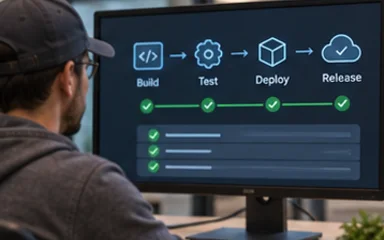
Explore Monitoring in DevOps, Importance of monitoring in a DevOps pipeline, and Prometheus.
Explore the course learning planExplore ELK Stack, Elasticsearch architecture and data model, and Implementing alerts and notifications.
Explore the course learning planExplore Monitoring in DevOps, Importance of monitoring in a DevOps pipeline, and Prometheus. The discussion covers Prometheus architecture and components, Visualizing metrics with Grafana, and Querying prometheus with PromQL. The section also examines Log management. Relate observations to the original symptom or performance goal, and distinguish evidence about system behaviour from assumptions about its cause.
Explore ELK Stack, Elasticsearch architecture and data model, and Implementing alerts and notifications. The discussion covers Setting up alerting rules in Prometheus and Grafana, Monitoring in cloud and containerized environments, and using Grafana and ELK in cloud environments (AWS, Azure). Relate observations to the original symptom or performance goal, and distinguish evidence about system behaviour from assumptions about its cause.
Need the detailed syllabus? Request the course outline.
Check the course fit for your role and experience. Confirm the prerequisites, delivery scope and preparation before booking.
Check the full outline for this course’s tools and technologies. Confirm software versions, licences, accounts, equipment, access and installation requirements before joining.
Ask which preparation materials, follow-up resources or trainer support are included in your selected delivery.
Confirm the certificate, completion requirements and any assessed activities for your selected batch. A practical project does not by itself establish an assessed skills award.
Understand certificates and assessments →Confirm dates, venue, fees, available seats and delivery arrangements with Timmins before booking.
Ask Timmins about upcoming dates for this course.
View the public training calendar →Ask about another date or team delivery. Share your preferred timeframe, city or delivery mode and participant numbers. Timmins will discuss the options; dates, trainer availability, delivery and fees must be confirmed separately. Sending an enquiry does not reserve a place or confirm a class.
Your selected course is included in the draft. Review it and press Send in your messaging app.
DevOps engineers, System administrators, and Software developers involved in infrastructure management.
Basic understanding of DevOps and CI/CD practices. Familiarity with Linux/Unix command-line interface. Basic knowledge of cloud infrastructure and containerization is helpful (optional).
Check the full outline for this course’s tools and technologies. Confirm software versions, licences, accounts, equipment, access and installation requirements before joining.
The learning plan describes the course topics and activities in the published summary. Ask Timmins to confirm the exercises, trainer feedback and any assessed activities for your selected delivery. Completion and assessed credentials have different requirements.
AI-assisted activities are not listed in this course summary. Ask Timmins to confirm the scope of your selected delivery rather than assuming AI tools are included.
Discuss an in-house programme with Timmins. Share the team’s roles, starting knowledge and workplace challenges. Agree any adaptations, assessment and follow-up support in the proposal.