A working UI test suite
Write and run Playwright checks in TypeScript, with assertions tied to expected behaviour.
User journey → repeatable checks Training & Capability DevelopmentLearn. Practise. Apply.⌕
Build a maintainable UI and API test suite, then bring it into your delivery pipeline.
Move from individual test scripts to a connected workflow with TypeScript, Playwright and Azure DevOps. Use AI assistance thoughtfully: draft, review, run and verify.
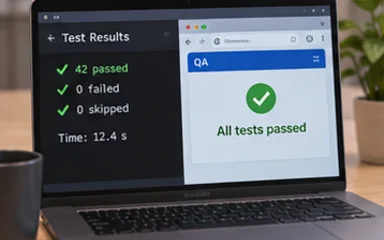
Write and run Playwright checks in TypeScript, with assertions tied to expected behaviour.
User journey → repeatable checksUse page objects, reusable code and test data to organise coverage.
Individual scripts → reusable suiteConnect behaviour-driven scenarios and automated execution with Azure DevOps.
Commit → tests → reviewed resultsStart with the structure of a TypeScript test project and the role of Playwright in browser automation. Set up the lab project, practise locating elements and write assertions that check expected behaviour. Run an initial UI test and read the result to distinguish an application problem from a test problem. The practical focus is a small, understandable test that you can explain and change, before adding more complex flows.
Extend the initial tests to cover browser interactions and a complete user flow. Consider what should happen, what could go wrong and which checks provide useful evidence. Use ChatGPT or GitHub Copilot to suggest test cases or draft automation, then inspect and run the suggestions. Compare the result with the requirements and correct gaps. AI supports the work; you remain responsible for deciding whether the test checks the right behaviour.
Refactor the suite using Page Object Model so that common interactions can be maintained in one place. Separate test data from test logic and add data-driven checks for different inputs. Extend coverage with API checks and consider where UI and API tests complement one another. Review how the suite behaves when checks fail and identify changes that make failures easier to investigate and the automation easier to maintain.
Bring the testing workflow into Azure DevOps CI/CD and review the pipeline output. Connect behaviour-driven scenarios with requirements so that the intended behaviour remains visible alongside the implementation. Apply the techniques in a practical project that brings together the suite, test data and execution workflow. Review what passed, what failed and what needs investigation, then discuss how the approach can be adapted to your team’s delivery process.
The four days build from an initial UI test to a maintainable, continuous testing workflow. Confirm the detailed exercise scope and current tool versions with Timmins for your selected delivery.
Need the detailed syllabus? Request the course outline.
A short preparation check helps keep training time focused on testing.
Be comfortable with basic testing concepts, programming and web applications. JavaScript or TypeScript familiarity helps.
Ask for current editor, Node.js, npm and browser requirements. Check installation and network permissions on your laptop.
Confirm Azure DevOps and AI account access, licence arrangements and what Timmins supplies before the course.
Think of a workflow you want to test. Discuss any company application, code or data with Timmins before sharing it.
Optional 2-minute readiness check. Choose the answer that best describes you; this is guidance, not a test you must pass to enquire or book.
You do not need to know every topic taught in the course before attending. Discuss your experience with Timmins. No admission decision or booking is made by this check.
Basic software testing, programming and web application knowledge are expected. JavaScript or TypeScript familiarity is helpful; previous automation or DevOps experience is optional.
The course covers TypeScript, Playwright, ChatGPT or GitHub Copilot, Page Object Model, API testing, behaviour-driven development and Azure DevOps CI/CD. Confirm the exact tools, versions and account access for your batch.
Ask which preparation materials, follow-up resources or trainer support are included in your selected delivery.
Confirm the certificate, completion requirements and any assessed activities for your selected batch. A practical project does not by itself establish an assessed skills award.
Understand certificates and assessments →Choose WhatsApp or email for your preferred class. Confirm dates, venue, fees, available seats and delivery arrangements with Timmins before booking.
| Training dates | Duration | Venue | Status | Enquire / Register |
|---|---|---|---|---|
| 9–12 Feb 2027 | 4 Days | Timmins Training Centre, PenangIn person | Open | Register Interest — contact Timmins to confirm availability. |
| 15–18 Feb 2027 | 4 Days | Timmins Training Centre, Kuala LumpurIn person | Open | Register Interest — contact Timmins to confirm availability. |
| 19–22 Apr 2027 | 4 Days | Timmins Training Centre, PenangIn person | Open | Register Interest — contact Timmins to confirm availability. |
| 26–29 Apr 2027 | 4 Days | Timmins Training Centre, Kuala LumpurIn person | Open | Register Interest — contact Timmins to confirm availability. |
Ask about another date or team delivery. Share your preferred timeframe, city or delivery mode and participant numbers. Timmins will discuss the options; dates, trainer availability, delivery and fees must be confirmed separately. Sending an enquiry does not reserve a place or confirm a class.
Your selected course is included in the draft. Review it and press Send in your messaging app.
Previous automation or DevOps experience is optional. Bring basic software testing and programming skills and familiarity with web applications. JavaScript or TypeScript knowledge is helpful. Share your experience with Timmins if you need help checking the fit.
Use ChatGPT or GitHub Copilot to draft test cases and automation suggestions, then inspect, run and verify the output against expected behaviour. AI-generated code still needs human review; it does not establish that an application is correct.
Do not assume paid accounts or licences are included. Confirm the AI tools, Azure DevOps access, account arrangements and any costs with Timmins before your selected delivery.
Discuss this with Timmins before training. Confirm permission, access restrictions and data handling first. Do not upload confidential code, credentials or company information to an AI service without your organisation’s approval.
Confirm the computer, editor, Node.js and npm, browser installation, network permissions and account requirements for your batch. Ask for the current setup instructions before installing software or changing a managed company laptop.
Confirm the certificate, completion requirements and any assessed activities with Timmins. Completing a practical project does not by itself establish an externally accredited certification.
For teams considering Software Testing and CI/CD training in Malaysia, use the published learning outcomes and prerequisites on this page to check the fit before requesting a quotation.
QA leads and software engineering teams can compare existing test automation and CI/CD practices with the four-day published outline; separately verify any scheduled variant. This is an enquiry example, not a promise to customise the course or solve a production issue.
The existing course page lists: Build Playwright UI tests in TypeScript with meaningful locators and assertions. Automate browser interactions and check the expected user journey.
Basic software testing and programming skills and familiarity with web applications. JavaScript or TypeScript is helpful. REST APIs, locators and previous automation or DevOps experience are optional. Confirm the lab tools and account access before training.
Describe your needs and prepare a message for Timmins. Nothing is sent or saved on this website. Review the draft and press Send in your email app or WhatsApp.