Kernel modules and user–kernel boundaries
Build and load a Linux kernel module and examine how kernel code differs from user-space code.
See the detailed course outline Training & Capability DevelopmentLearn. Practise. Apply.⌕
Build and load a Linux kernel module.
Write a Linux kernel module and a basic character driver. Learn how user-space applications communicate with the driver and how the kernel handles interrupts.
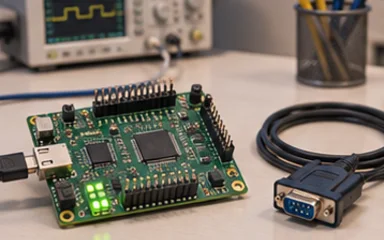
Build and load a Linux kernel module and examine how kernel code differs from user-space code.
See the detailed course outlineImplement a basic character driver and practise exposing device functionality to a user-space application.
See the detailed course outlineExamine how drivers respond to hardware events and when work should move out of an interrupt handler.
See the detailed course outlineReview the Linux driver ecosystem, kernel space and source organisation before configuring and building a kernel. Introduce kernel module responsibilities, loading, unloading and stacking, then prepare a module build environment. The practical work develops a simple module and connects its lifecycle to the kernel. Participants establish the build and integration steps that will support character drivers and interrupt handling on the following day.
Examine character devices, major and minor numbers and the flow between user and kernel space. Write and test a character driver, exchange data with an application and explore automatic device file creation. Continue into interrupt registration and deferred work using tasklets or workqueues. The exercises connect a driver’s visible application interface with its response to hardware events and the kernel mechanisms that schedule later processing.
Need the detailed syllabus? Request the course outline.
Check prerequisites and confirm the course fit with Timmins for your role, experience and selected delivery.
Check the course outline for the software, development environment and any target hardware. Confirm installation steps, versions, equipment access and lab arrangements before joining.
Ask which preparation materials, follow-up resources or trainer support are included in your selected delivery.
Confirm the certificate, completion requirements and any assessed activities for your selected batch. A practical project does not by itself establish an assessed skills award.
Understand certificates and assessments →Confirm dates, venue, fees, available seats and delivery arrangements with Timmins before booking.
Ask Timmins about upcoming dates for this course.
View the public training calendar →Ask about another date or team delivery. Share your preferred timeframe, city or delivery mode and participant numbers. Timmins will discuss the options; dates, trainer availability, delivery and fees must be confirmed separately. Sending an enquiry does not reserve a place or confirm a class.
Your selected course is included in the draft. Review it and press Send in your messaging app.
Embedded C and Linux developers starting to write kernel modules and character drivers.
Good with Embedded C and Comfortable with Linux Environment (Course – Linux Fundamentals)
Check the outline and confirm the software environment, hardware, equipment access and setup requirements for your selected delivery. Do not assume all courses use the same board or lab environment.
The course topics describe the technical scope. Ask Timmins to confirm the labs, demonstrations and any assessed activities for your selected programme. Completion and assessed credentials have different requirements.
Discuss an in-house session with Timmins. Share the team’s roles, systems and intended outcomes so the scope, prerequisites, delivery and any adaptations can be agreed.