Kernel modules and character devices
Build a module and expose a character device interface that a user-space application can use.
See the detailed course outline Training & Capability DevelopmentLearn. Practise. Apply.⌕
Build a kernel module and expose a character device interface.
Build an event-driven driver in stages. Work with character driver interfaces, GPIO, buffer handling and coordination between kernel and user space.
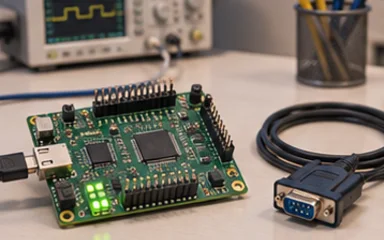
Build a module and expose a character device interface that a user-space application can use.
See the detailed course outlineConnect a driver to GPIO and manage data as it passes between the kernel and user space.
See the detailed course outlineUse wait queues and synchronisation to coordinate concurrent work in an event-driven driver.
See the detailed course outlineReview kernel space, the Linux driver ecosystem and source organisation, then configure and build a kernel. Introduce module loading, unloading, stacking and build requirements before writing a simple kernel module. The sessions connect the source tree and build environment with the lifecycle of code running in the kernel. This provides the technical starting point for the character driver and staged project developed during the remaining course days.
Develop a character driver and examine major and minor numbers, special device files and the route from user space into the kernel. Extend data exchange and device file creation before adding hardware access and IOCTL operations. The outlined exercises control onboard LEDs and enable driver loading at startup. Participants connect the application interface with driver registration and the operations needed to make a hardware function usable.
Begin the staged project by implementing a driver that manages a buffer and then adds GPIO control. Review the reasons for kernel synchronisation and compare mutexes, semaphores and spinlocks through practical examples. Exercises include producer and consumer coordination before concurrency control is added to the project. The day connects shared data and hardware access with the execution contexts in which the driver must behave correctly.
Explore waiting and wakeup mechanisms and use wait queues to block a user process until data is available. Extend the project with interrupt registration and event handling, then introduce deferred processing through tasklets or workqueues. The staged exercises connect a waiting application to hardware events and later processing. Participants examine how the driver coordinates responsiveness, shared state and work that should not run inside the interrupt handler.
Need the detailed syllabus? Request the course outline.
Check prerequisites and confirm the course fit with Timmins for your role, experience and selected delivery.
Check the course outline for the software, development environment and any target hardware. Confirm installation steps, versions, equipment access and lab arrangements before joining.
Ask which preparation materials, follow-up resources or trainer support are included in your selected delivery.
Confirm the certificate, completion requirements and any assessed activities for your selected batch. A practical project does not by itself establish an assessed skills award.
Understand certificates and assessments →Confirm dates, venue, fees, available seats and delivery arrangements with Timmins before booking.
Ask Timmins about upcoming dates for this course.
View the public training calendar →Ask about another date or team delivery. Share your preferred timeframe, city or delivery mode and participant numbers. Timmins will discuss the options; dates, trainer availability, delivery and fees must be confirmed separately. Sending an enquiry does not reserve a place or confirm a class.
Your selected course is included in the draft. Review it and press Send in your messaging app.
Embedded Linux and BSP engineers developing drivers for real hardware.
Embedded C and comfort working in a Linux environment.
Check the outline and confirm the software environment, hardware, equipment access and setup requirements for your selected delivery. Do not assume all courses use the same board or lab environment.
The course topics describe the technical scope. Ask Timmins to confirm the labs, demonstrations and any assessed activities for your selected programme. Completion and assessed credentials have different requirements.
Discuss an in-house session with Timmins. Share the team’s roles, systems and intended outcomes so the scope, prerequisites, delivery and any adaptations can be agreed.