Kernel logs and traces
Use Linux kernel diagnostic tools to collect evidence and narrow down where a fault occurs.
See the detailed course outline Training & Capability DevelopmentLearn. Practise. Apply.⌕
Use GDB, KGDB, ftrace and perf for kernel diagnostics.
Investigate Linux kernel faults using logs, traces and crash dumps. Practise narrowing down synchronisation and performance problems.
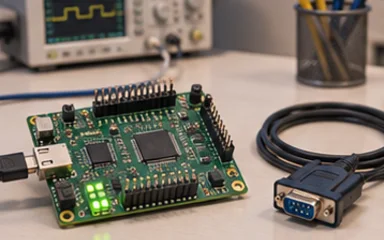
Use Linux kernel diagnostic tools to collect evidence and narrow down where a fault occurs.
See the detailed course outlineInterpret crash dumps and stack traces and review where GDB, KGDB and ftrace fit into kernel investigations.
See the detailed course outlineInvestigate races, deadlocks and bottlenecks using diagnostic and profiling evidence.
See the detailed course outlineReview kernel architecture, common bug types and the differences between user space and kernel debugging. Compare the tools named in the outline and prepare a debugging environment. The practical session configures and uses KGDB for remote kernel investigation. Participants connect the type of fault and the available execution context with a suitable debugging approach before moving into crash analysis and tracing on the following day.
Configure kdump and examine crash analysis, then use kernel logs and ftrace to observe execution. Explore performance investigation with perf and relate measurements to stack traces, panic messages and oops reports. The outlined sessions include triggering and investigating crashes and tracing kernel functions. The focus is on collecting and interpreting different forms of evidence so the next debugging step follows the observed failure.
Investigate race conditions, deadlocks, memory leaks and corruption using the methods and tools listed in the outline, including kmemleak. Extend the investigation to I/O problems and performance behaviour. Hands-on sessions and a group case exercise bring together synchronisation, memory and subsystem evidence. The closing discussion reviews debugging practice and the reasoning required when a kernel failure crosses several components rather than appearing in one isolated function.
Need the detailed syllabus? Request the course outline.
Check prerequisites and confirm the course fit with Timmins for your role, experience and selected delivery.
Check the course outline for the software, development environment and any target hardware. Confirm installation steps, versions, equipment access and lab arrangements before joining.
Ask which preparation materials, follow-up resources or trainer support are included in your selected delivery.
Confirm the certificate, completion requirements and any assessed activities for your selected batch. A practical project does not by itself establish an assessed skills award.
Understand certificates and assessments →Confirm dates, venue, fees, available seats and delivery arrangements with Timmins before booking.
Ask Timmins about upcoming dates for this course.
View the public training calendar →Ask about another date or team delivery. Share your preferred timeframe, city or delivery mode and participant numbers. Timmins will discuss the options; dates, trainer availability, delivery and fees must be confirmed separately. Sending an enquiry does not reserve a place or confirm a class.
Your selected course is included in the draft. Review it and press Send in your messaging app.
Kernel developers and embedded Linux engineers investigating crashes, deadlocks or performance problems.
Basic knowledge of Linux operating system and command-line tools. Experience with C programming language. Familiarity with Linux kernel development or system programming is recommended.
Check the outline and confirm the software environment, hardware, equipment access and setup requirements for your selected delivery. Do not assume all courses use the same board or lab environment.
The course topics describe the technical scope. Ask Timmins to confirm the labs, demonstrations and any assessed activities for your selected programme. Completion and assessed credentials have different requirements.
Discuss an in-house session with Timmins. Share the team’s roles, systems and intended outcomes so the scope, prerequisites, delivery and any adaptations can be agreed.