Python programming
Set up Jupyter and use it to practise Python syntax, data types, conditions and loops.
Explore the course learning plan Training & Capability DevelopmentLearn. Practise. Apply.⌕
Write simple Python scripts using variables, loops, functions and collections.
Learn Python from the beginning and use it for data analysis and basic statistics. Practise working in Jupyter, cleaning data and interpreting results with charts and statistical summaries.
Set up Jupyter and use it to practise Python syntax, data types, conditions and loops.
Explore the course learning planUse NumPy arrays and Pandas DataFrames to load, clean and reshape data.
Explore the course learning planWork with datasets to calculate measures of central tendency and variability using Pandas and NumPy.
Explore the course learning planSet up Jupyter and use it to practise Python syntax, data types, conditions and loops. Write functions and explore how lists, tuples, dictionaries and sets store different kinds of data. The exercises build the programming fundamentals needed for the later analysis and statistics work. Trace how the language construct affects execution and data handling, relating the example to code that another developer can read, reason about and maintain.
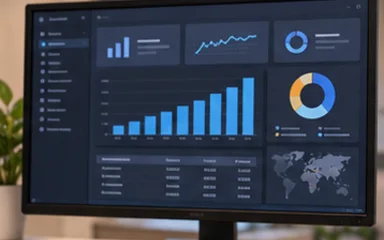
Use NumPy arrays and Pandas DataFrames to load, clean and reshape data. Create charts with Matplotlib and explore statistical plots with Seaborn. Participants also practise exporting visuals, following the data from its original form to a chart that can be included in a report. Follow the data from its source through the processing steps to the resulting output, checking how transformations affect the meaning of the information.
Work with datasets to calculate measures of central tendency and variability using Pandas and NumPy. Use visualisations to examine how those measurements relate to the distribution of the data. The exercises focus on interpreting the results so participants can explain what the figures tell them. Trace how the language construct affects execution and data handling, relating the example to code that another developer can read, reason about and maintain.
Need the detailed syllabus? Request the course outline.
Check the course fit for your role and experience. Confirm the prerequisites, delivery scope and preparation before booking.
Check the full outline for this course’s tools and technologies. Confirm software versions, licences, accounts, equipment, access and installation requirements before joining.
Ask which preparation materials, follow-up resources or trainer support are included in your selected delivery.
Confirm the certificate, completion requirements and any assessed activities for your selected batch. A practical project does not by itself establish an assessed skills award.
Understand certificates and assessments →Confirm dates, venue, fees, available seats and delivery arrangements with Timmins before booking.
Ask Timmins about upcoming dates for this course.
View the public training calendar →Ask about another date or team delivery. Share your preferred timeframe, city or delivery mode and participant numbers. Timmins will discuss the options; dates, trainer availability, delivery and fees must be confirmed separately. Sending an enquiry does not reserve a place or confirm a class.
Your selected course is included in the draft. Review it and press Send in your messaging app.
Beginners, students and professionals who want an introduction to Python and statistics for data analysis.
No prior programming experience is required. The exercises use Python in an Anaconda and Jupyter environment.
Check the full outline for this course’s tools and technologies. Confirm software versions, licences, accounts, equipment, access and installation requirements before joining.
The learning plan describes the course topics and activities in the published summary. Ask Timmins to confirm the exercises, trainer feedback and any assessed activities for your selected delivery. Completion and assessed credentials have different requirements.
AI-assisted activities are not listed in this course summary. Ask Timmins to confirm the scope of your selected delivery rather than assuming AI tools are included.
Discuss an in-house programme with Timmins. Share the team’s roles, starting knowledge and workplace challenges. Agree any adaptations, assessment and follow-up support in the proposal.