Scheduled industrial ETL with Airflow
Start with an industrial batch ETL script and turn it into an Apache Airflow DAG.
Explore the course learning plan Training & Capability DevelopmentLearn. Practise. Apply.⌕
Build an Airflow DAG with dependencies, retries and failure notifications.
Turn industrial ETL scripts into scheduled, monitored pipelines. Integrate simulated plant data and MES records using Apache Airflow, REST APIs and InfluxDB, then load a model for KPI reporting.
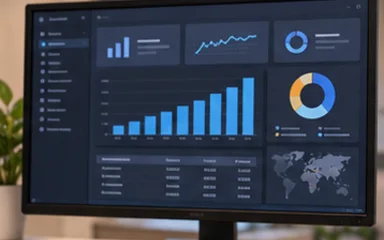
Start with an industrial batch ETL script and turn it into an Apache Airflow DAG.
Explore the course learning planWork with two production data sources that need different handling.
Explore the course learning planModel manufacturing data as fact and dimension tables, then query them for operational KPIs.
Explore the course learning planStart with an industrial batch ETL script and turn it into an Apache Airflow DAG. Define task dependencies and schedules, then review what happens when a task fails. Work with retries, logs and failure notifications so a team can monitor a data pipeline after it has been scheduled. Connect the reporting steps to the business question, checking how the source data, calculations and chosen display affect the interpretation of the result.
Work with two production data sources that need different handling. Store and query summarised equipment readings in InfluxDB, then fetch simulated production records through a REST API. Review pagination and errors so the collection workflow can deal with incomplete or repeated requests. Follow the data from its source through the processing steps to the resulting output, checking how transformations affect the meaning of the information.
Model manufacturing data as fact and dimension tables, then query them for operational KPIs. Combine the components into a multi-stage workflow from a simulated MES to the reporting warehouse. Test the stages and document the result so another engineer can understand how the reports are populated. Follow the data from its source through the processing steps to the resulting output, checking how transformations affect the meaning of the information.
Need the detailed syllabus? Request the course outline.
Check the course fit for your role and experience. Confirm the prerequisites, delivery scope and preparation before booking.
Check the full outline for this course’s tools and technologies. Confirm software versions, licences, accounts, equipment, access and installation requirements before joining.
Ask which preparation materials, follow-up resources or trainer support are included in your selected delivery.
Confirm the certificate, completion requirements and any assessed activities for your selected batch. A practical project does not by itself establish an assessed skills award.
Understand certificates and assessments →Confirm dates, venue, fees, available seats and delivery arrangements with Timmins before booking.
Ask Timmins about upcoming dates for this course.
View the public training calendar →Ask about another date or team delivery. Share your preferred timeframe, city or delivery mode and participant numbers. Timmins will discuss the options; dates, trainer availability, delivery and fees must be confirmed separately. Sending an enquiry does not reserve a place or confirm a class.
Your selected course is included in the draft. Review it and press Send in your messaging app.
Data engineers, manufacturing IT and OT teams, automation and integration engineers, and production-reporting analysts.
Basic Python, SQL and ETL skills, plus experience with CSV or database datasets. Data Engineering Foundations for Industrial Systems or equivalent experience is recommended.
Check the full outline for this course’s tools and technologies. Confirm software versions, licences, accounts, equipment, access and installation requirements before joining.
The learning plan describes the course topics and activities in the published summary. Ask Timmins to confirm the exercises, trainer feedback and any assessed activities for your selected delivery. Completion and assessed credentials have different requirements.
AI-assisted activities are not listed in this course summary. Ask Timmins to confirm the scope of your selected delivery rather than assuming AI tools are included.
Discuss an in-house programme with Timmins. Share the team’s roles, starting knowledge and workplace challenges. Agree any adaptations, assessment and follow-up support in the proposal.