Dart Programming Syntax (Part 1)
Explore Dart programming syntax (Part 1), Importance of Flutter, and Dart programming syntax (Part 2).
Explore the course learning plan Training & Capability DevelopmentLearn. Practise. Apply.⌕
Use Flutter's tools to enhance your development process.
This course will teach you the basics to intermediate of Flutter, including building a UI, using animations, and creating a database app.
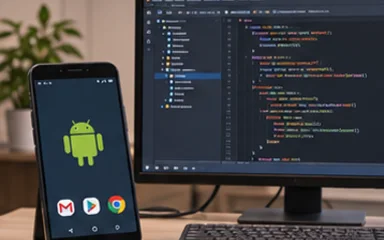
Explore Dart programming syntax (Part 1), Importance of Flutter, and Dart programming syntax (Part 2).
Explore the course learning planExplore Flutter widgets fundamentals, Navigation and Routing, and Stateful and stateless widgets.
Explore the course learning planExplore Firebase (Part 1), Firebase authentication (Signup and login to Flutter App), and Firebase (Part 2).
Explore the course learning planExplore Dart programming syntax (Part 1), Importance of Flutter, and Dart programming syntax (Part 2). The discussion covers Dart data types, Dart, and Writing dart code. The section also examines Installing dart SDK, VS Code IDE, and Input of information to dart program. The discussion covers Dart conditional operators and If statements & logical operators.
Explore Dart functions & Object-Oriented programming (OOP), All about Flutter, and creating a Function. The discussion covers Function return data types, Function returning expression, and Functions and variable scope. The section also examines Objects and Classes, creating a Class, and Adding methods to classes. The discussion covers Providing constructors for your classes and Class — Getters and Setters.
Explore Flutter widgets fundamentals, Navigation and Routing, and Stateful and stateless widgets. The discussion covers Column and Row widgets, Layouts in Flutter, and Hot reload and Hot restart. Participants also use a Custom Font. The discussion covers Popup menu button, App structure and navigation, and Navigate to a New screen and back.
Explore visual, behavioral, and Motion-Rich widgets (Part 1), Bottom navigator Bar widget, and visual, behavioral, and Motion-Rich widgets (Part 2). The discussion covers Alert dialog widget, dialogs, Alerts, and Panels, and Bottom / modal / persistent sheet. The section also examines Expansion panel widget, Snack Bar widget, and Tab controllers. The discussion covers common widgets.
Explore Firebase (Part 1), Firebase authentication (Signup and login to Flutter App), and Firebase (Part 2). The discussion covers Adding firebase to your Android App. Participants also configure Your App to use Firebase Services. The discussion covers Configuring firebase authentication and Firebase / Real-Time database. Connect the Android components to the application behaviour they support, following how information moves between the interface, application logic and platform services.
Need the detailed syllabus? Request the course outline.
Check the course fit for your role and experience. Confirm the prerequisites, delivery scope and preparation before booking.
Check the full outline for this course’s tools and technologies. Confirm software versions, licences, accounts, equipment, access and installation requirements before joining.
Ask which preparation materials, follow-up resources or trainer support are included in your selected delivery.
Confirm the certificate, completion requirements and any assessed activities for your selected batch. A practical project does not by itself establish an assessed skills award.
Understand certificates and assessments →Confirm dates, venue, fees, available seats and delivery arrangements with Timmins before booking.
Ask Timmins about upcoming dates for this course.
View the public training calendar →Ask about another date or team delivery. Share your preferred timeframe, city or delivery mode and participant numbers. Timmins will discuss the options; dates, trainer availability, delivery and fees must be confirmed separately. Sending an enquiry does not reserve a place or confirm a class.
Your selected course is included in the draft. Review it and press Send in your messaging app.
Share your role, experience and intended workplace application with Timmins to confirm whether this course is suitable.
Basic understanding of programming concepts such as variables, loops, and functions. Familiarity with object-oriented programming principles (OOP). Basic knowledge of mobile application development is helpful but not mandatory.
Check the full outline for this course’s tools and technologies. Confirm software versions, licences, accounts, equipment, access and installation requirements before joining.
The learning plan describes the course topics and activities in the published summary. Ask Timmins to confirm the exercises, trainer feedback and any assessed activities for your selected delivery. Completion and assessed credentials have different requirements.
AI-assisted activities are not listed in this course summary. Ask Timmins to confirm the scope of your selected delivery rather than assuming AI tools are included.
Discuss an in-house programme with Timmins. Share the team’s roles, starting knowledge and workplace challenges. Agree any adaptations, assessment and follow-up support in the proposal.
This five-day outline develops Dart syntax and object-oriented programming before Flutter widgets, navigation, motion-rich interfaces and Firebase authentication and real-time data. Basic programming and OOP knowledge are prerequisites; mobile development experience is helpful, not mandatory.
Compare the separate four-day Flutter Application Development outline