Finance Data Model
Prepare actuals, budgets and operating data with Power Query.
Source data → finance model Training & Capability DevelopmentLearn. Practise. Apply.⌕
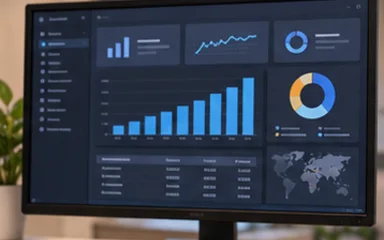
Build an actuals-versus-budget dashboard and explain what drove performance.
Combine financial data, build DAX measures and turn the analysis into a management recommendation.
Prepare actuals, budgets and operating data with Power Query.
Source data → finance modelBuild DAX measures and compare results with budget.
Actuals and budgets → variance insightsValidate the capstone report and explain performance drivers.
Dashboard findings → recommended actionsStart with the finance reporting question and map the source data needed to answer it. Use Power Query to prepare the data and organise it into fact and dimension tables. Build core measures and finance visuals that serve as the foundation for recurring management reports. The work connects data preparation and modelling choices with the finance question the report is intended to answer.
Investigate financial performance using DAX measures for variances and time comparisons. Explore how interactive visuals connect results such as costs or profitability with operational drivers. Load the capstone dataset and start building a report that can explain what changed and where to investigate further. The emphasis is on relating the calculations and visuals to an explanation that can be checked against the data.
Use filters, slicers and parameters to examine alternative finance scenarios. Complete the capstone report and validate the measures against the data. Present the drivers behind the results and translate the findings into actions a finance team can discuss with the business. The final discussion connects the dashboard findings with a management recommendation and the evidence supporting that recommendation.
Need the detailed syllabus? Request the course outline.
Optional 2-minute readiness check. Choose the answer that best describes you; this is guidance, not a test you must pass to enquire or book.
You do not need to know every topic taught in the course before attending. Discuss your experience with Timmins. No admission decision or booking is made by this check.
Bring a finance reporting question or KPI. Confirm the Power BI lab setup before joining.
Work with Power BI, Power Query, DAX and finance datasets. Confirm software installation, licences and equipment requirements before joining.
Ask which preparation materials, follow-up resources or trainer support are included in your selected delivery.
Confirm the certificate, completion requirements and any assessed activities for your selected batch. A practical project does not by itself establish an assessed skills award.
Understand certificates and assessments →Choose WhatsApp or email for your preferred class. Confirm dates, venue, fees, available seats and delivery arrangements with Timmins before booking.
Timmins Training Centre, Penang · In person
OpenRegister Interest — contact Timmins to confirm availability.
Timmins Training Centre, Kuala Lumpur · In person
OpenRegister Interest — contact Timmins to confirm availability.
Timmins Training Centre, Penang · In person
OpenRegister Interest — contact Timmins to confirm availability.
Timmins Training Centre, Kuala Lumpur · In person
OpenRegister Interest — contact Timmins to confirm availability.
Timmins Training Centre, Penang · In person
OpenRegister Interest — contact Timmins to confirm availability.
Timmins Training Centre, Kuala Lumpur · In person
OpenRegister Interest — contact Timmins to confirm availability.
Ask about another date or team delivery. Share your preferred timeframe, city or delivery mode and participant numbers. Timmins will discuss the options; dates, trainer availability, delivery and fees must be confirmed separately. Sending an enquiry does not reserve a place or confirm a class.
Your selected course is included in the draft. Review it and press Send in your messaging app.
The published prerequisites ask you to bring a finance reporting question or KPI and confirm the lab setup. Tell Timmins about your reporting experience and Power BI familiarity so we can check the fit before booking.
Prepare a finance model, build measures for actuals versus budget, and complete a capstone report. Validate the measures, investigate performance drivers and present recommended actions.
Confirm the Power BI installation, licence, computer and dataset arrangements for your selected delivery. Bring your reporting question; discuss permission and data handling before sharing company information.
Discuss an in-house programme with Timmins, including your reporting workflows, team experience and intended outcomes. Any adaptation, assessment or follow-up should be agreed in the proposal.
For teams considering Power BI for Finance training in Malaysia, use the published learning outcomes and prerequisites on this page to check the fit before requesting a quotation.
Finance managers and analysts can review finance-reporting tasks and discuss how your team’s reporting challenges fit the published finance syllabus. This is an enquiry example, not a promise to customise the course or solve a production issue.
The existing course page lists: Combine financial data with Power Query and structure it for recurring reports. Build an actual-versus-budget model and DAX measures for variance, profitability and period comparisons.
Bring a finance reporting question or KPI you want to explore. Confirm the Power BI lab setup with Timmins before the class.
Describe your needs and prepare a message for Timmins. Nothing is sent or saved on this website. Review the draft and press Send in your email app or WhatsApp.