Board bring-up and boot foundations
Trace startup on a BeagleBone Black and see how the bootloader, kernel and root filesystem fit together.
See the detailed course outline Training & Capability DevelopmentLearn. Practise. Apply.⌕
Build and test a baseline image using BitBake.
Build and boot a Yocto image on BeagleBone Black. Create a board support layer and customise the bootloader, kernel and root filesystem.
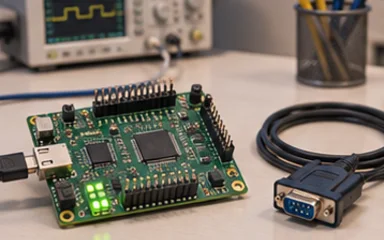
Trace startup on a BeagleBone Black and see how the bootloader, kernel and root filesystem fit together.
See the detailed course outlineBuild and test a baseline image with BitBake. Extend recipes and organise product changes in layers.
See the detailed course outlineAdd a machine configuration and customise U-Boot, kernel settings and packages for the target image.
See the detailed course outlineAcross this two day source block, trace the BeagleBone Black boot flow and start the board using prepared images. Explore first stage bootloaders, U-Boot commands and environment settings, including recovery of a board that will not boot. Review kernel architecture, configuration and building through the listed exercises. The source groups these activities together rather than allocating them separately to Day 1 and Day 2.
Across this two day block, introduce Yocto and BitBake, then work with recipes, classes, layers, variables, tasks and dependencies. Use logs and metadata inspection to investigate build failures. Build and test a basic console image on the target before examining BSP layers and adding a machine configuration. The source provides a combined plan for these days; the precise daily allocation should be confirmed with Timmins.
Use Yocto to configure and build U-Boot and the kernel, extending recipes with patches and kernel configuration fragments. Test the resulting changes before selecting root filesystem packages, adding custom applications and considering init managers. The practical work connects build metadata with the software delivered on the target. Participants relate bootloader, kernel and filesystem customisation to a consistent embedded image rather than separate manual changes.
The source groups Days 1–2 and Days 3–4. These are presented as combined blocks because the individual daily allocation is not specified. Confirm the timetable for your delivery.
Need the detailed syllabus? Request the course outline.
Check prerequisites and confirm the course fit with Timmins for your role, experience and selected delivery.
Check the course outline for the software, development environment and any target hardware. Confirm installation steps, versions, equipment access and lab arrangements before joining.
Ask which preparation materials, follow-up resources or trainer support are included in your selected delivery.
Confirm the certificate, completion requirements and any assessed activities for your selected batch. A practical project does not by itself establish an assessed skills award.
Understand certificates and assessments →Confirm dates, venue, fees, available seats and delivery arrangements with Timmins before booking.
Ask Timmins about upcoming dates for this course.
View the public training calendar →Ask about another date or team delivery. Share your preferred timeframe, city or delivery mode and participant numbers. Timmins will discuss the options; dates, trainer availability, delivery and fees must be confirmed separately. Sending an enquiry does not reserve a place or confirm a class.
Your selected course is included in the draft. Review it and press Send in your messaging app.
Embedded Linux platform and BSP engineers maintaining product images for target boards.
Comfort with the Linux environment and basic commands.
Check the outline and confirm the software environment, hardware, equipment access and setup requirements for your selected delivery. Do not assume all courses use the same board or lab environment.
The course topics describe the technical scope. Ask Timmins to confirm the labs, demonstrations and any assessed activities for your selected programme. Completion and assessed credentials have different requirements.
Discuss an in-house session with Timmins. Share the team’s roles, systems and intended outcomes so the scope, prerequisites, delivery and any adaptations can be agreed.
For teams considering Yocto training in Malaysia, use the published learning outcomes and prerequisites on this page to check the fit before requesting a quotation.
BSP and embedded build teams can review image customisation and build-system learning needs against the published Yocto scope. This is an enquiry example, not a promise to customise the course or solve a production issue.
The existing course page lists: Build and test a baseline image using BitBake. Create layers, extend recipes and add a machine configuration.
Comfort with the Linux environment and basic commands.
Describe your needs and prepare a message for Timmins. Nothing is sent or saved on this website. Review the draft and press Send in your email app or WhatsApp.