Board bring-up and Linux boot
Build and boot a BeagleBone Black image with Buildroot and trace the handoff from U-Boot to the kernel and root filesystem.
See the detailed course outline Training & Capability DevelopmentLearn. Practise. Apply.⌕
Build the bootloader, kernel and root filesystem with Buildroot.
Build and boot an embedded Linux system on a BeagleBone Black. Trace startup from U-Boot to the root filesystem and see how drivers, interrupts and DMA fit into the system.
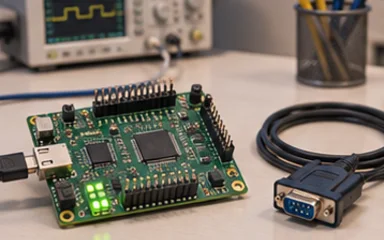
Build and boot a BeagleBone Black image with Buildroot and trace the handoff from U-Boot to the kernel and root filesystem.
See the detailed course outlineDevelop character and platform drivers and describe board hardware with Device Tree.
See the detailed course outlineCoordinate shared access in driver code and examine how interrupt handling and deferred work fit together.
See the detailed course outlineTrace the boot stages of BeagleBone Black and start the board with prepared images. Introduce Buildroot and its configuration of the bootloader, kernel and root filesystem, then build and deploy those components together. The specified exercises add SSH support and arrange an application to run during startup. Participants connect the visible boot sequence to the build choices that determine what becomes available on the running target.
Examine first stage bootloaders and U-Boot, including adding a custom command. Review kernel tasks, boot parameters and configuration before building the kernel and investigating board specific startup. Exercises cover static driver inclusion, creation of a ramdisk image and U-Boot environment changes for ramdisk boot. The day links build and bootloader decisions with the kernel image and filesystem arrangement used by the target system.
Develop a character driver and connect its major and minor numbers, device files and IOCTL operations to user space access. Continue into the Linux device model, platform devices and driver binding. The outlined exercises extend a platform driver to exchange data, add Device Tree information and test behaviour through an application. Participants relate driver registration and hardware description to the interfaces exposed by the kernel.
Examine atomic operations, mutexes, semaphores and spinlocks through driver exercises that demonstrate their use. Introduce interrupt registration, IRQ numbers and deferred processing with tasklets or workqueues. A GPIO driver exercise connects an interrupt source to its handler, then moves work into a bottom half. The day focuses on coordinating shared state and responding to hardware events within the constraints of kernel execution contexts.
Review DMA controllers, transfer types and Linux DMA Engine APIs, then extend an SPI driver to use DMA. Investigate kernel behaviour with logging, dynamic debugging, DebugFS, KGDB, probes and ftrace. Exercises add a DebugFS control interface and use tracing or breakpoints to inspect execution. The day connects driver data movement with the diagnostic tools needed to understand failures and observe kernel behaviour on the target.
Need the detailed syllabus? Request the course outline.
Optional 2-minute readiness check. Choose the answer that best describes you; this is guidance, not a test you must pass to enquire or book.
You do not need to know every topic taught in the course before attending. Discuss your experience with Timmins. No admission decision or booking is made by this check.
Check prerequisites and confirm the course fit with Timmins for your role, experience and selected delivery.
Check the course outline for the software, development environment and any target hardware. Confirm installation steps, versions, equipment access and lab arrangements before joining.
Ask which preparation materials, follow-up resources or trainer support are included in your selected delivery.
Confirm the certificate, completion requirements and any assessed activities for your selected batch. A practical project does not by itself establish an assessed skills award.
Understand certificates and assessments →Choose WhatsApp or email for your preferred class. Confirm dates, venue, fees, available seats and delivery arrangements with Timmins before booking.
Timmins Training Centre, Penang · In person
OpenRegister Interest — contact Timmins to confirm availability.
Timmins Training Centre, Penang · In person
OpenRegister Interest — contact Timmins to confirm availability.
Ask about another date or team delivery. Share your preferred timeframe, city or delivery mode and participant numbers. Timmins will discuss the options; dates, trainer availability, delivery and fees must be confirmed separately. Sending an enquiry does not reserve a place or confirm a class.
Your selected course is included in the draft. Review it and press Send in your messaging app.
Firmware, embedded software and board bring-up engineers working on Linux products.
Embedded programming in C or C++ and basic Linux knowledge.
Check the outline and confirm the software environment, hardware, equipment access and setup requirements for your selected delivery. Do not assume all courses use the same board or lab environment.
The course topics describe the technical scope. Ask Timmins to confirm the labs, demonstrations and any assessed activities for your selected programme. Completion and assessed credentials have different requirements.
Discuss an in-house session with Timmins. Share the team’s roles, systems and intended outcomes so the scope, prerequisites, delivery and any adaptations can be agreed.
For teams considering Embedded Linux System Internals training in Malaysia, use the published learning outcomes and prerequisites on this page to check the fit before requesting a quotation.
Embedded software teams can compare current Linux experience with the system-internals syllabus before selecting a starting point. This is an enquiry example, not a promise to customise the course or solve a production issue.
The existing course page lists: Build the bootloader, kernel and root filesystem with Buildroot. Develop character and platform drivers and describe devices with Device Tree.
Embedded programming in C or C++ and basic Linux knowledge.
Describe your needs and prepare a message for Timmins. Nothing is sent or saved on this website. Review the draft and press Send in your email app or WhatsApp.