Core C and data representation
Use C types, storage classes, pointers and user-defined types to represent and work with embedded data.
See the detailed course outline Training & Capability DevelopmentLearn. Practise. Apply.⌕
Use C types, pointers and data structures.
Write and debug C code for embedded systems. Use GDB to step through code and inspect program state.
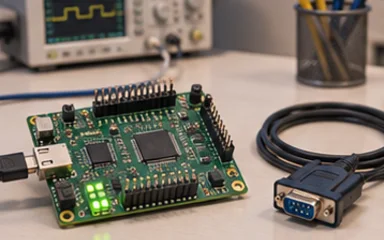
Use C types, storage classes, pointers and user-defined types to represent and work with embedded data.
See the detailed course outlineBreak code into reusable functions and examine where preprocessing and bitwise operations support embedded programming.
See the detailed course outlineStep through a program and inspect its state to investigate a fault in C code.
See the detailed course outlineReview C data types, their sizes, qualifiers and operators, then explore the behaviour of storage classes. The outlined exercises ask participants to determine type sizes, use qualifiers and evaluate operators in small programs. These examples connect language rules to the way embedded code represents and retains data. The session builds the foundation needed for later work with pointers, functions and source level debugging.
Examine why C programs use pointers and practise referencing and dereferencing variables. Work through common pointer related errors and how to correct them before moving into strings, structures and unions. The outlined exercises connect memory access with the representation of application data. Participants develop a clearer basis for reading and modifying embedded C code where pointer behaviour and user defined types affect correctness.
Use functions to organise C programs into reusable pieces, examining parameters, arguments and return values. Explore the main function and command line arguments before applying preprocessing directives and macros. The outlined exercises develop small functions and adjust compilation through preprocessing. The focus is on how code organisation and compile time choices influence the behaviour of the application that will be inspected with the debugger.
Introduce GDB commands and use breakpoints and watchpoints to stop execution at useful points. Examine source code, data and the call stack to understand program state, then investigate and correct faults in a supplied application. The source also lists preparation for GCC, GDB and a suitable editor or IDE. Participants connect the earlier C concepts to evidence gathered during source level debugging.
The 2-day course outline lists four 4-hour sessions without allocating them to individual days. The summaries follow those sessions. Confirm the daily timetable and training hours with Timmins.
Need the detailed syllabus? Request the course outline.
Check prerequisites and confirm the course fit with Timmins for your role, experience and selected delivery.
Check the course outline for the software, development environment and any target hardware. Confirm installation steps, versions, equipment access and lab arrangements before joining.
Ask which preparation materials, follow-up resources or trainer support are included in your selected delivery.
Confirm the certificate, completion requirements and any assessed activities for your selected batch. A practical project does not by itself establish an assessed skills award.
Understand certificates and assessments →Confirm dates, venue, fees, available seats and delivery arrangements with Timmins before booking.
Ask Timmins about upcoming dates for this course.
View the public training calendar →Ask about another date or team delivery. Share your preferred timeframe, city or delivery mode and participant numbers. Timmins will discuss the options; dates, trainer availability, delivery and fees must be confirmed separately. Sending an enquiry does not reserve a place or confirm a class.
Your selected course is included in the draft. Review it and press Send in your messaging app.
Firmware developers and engineers building or refreshing their embedded C skills.
Basic programming concepts. Some C and computer architecture experience is helpful.
Check the outline and confirm the software environment, hardware, equipment access and setup requirements for your selected delivery. Do not assume all courses use the same board or lab environment.
The course topics describe the technical scope. Ask Timmins to confirm the labs, demonstrations and any assessed activities for your selected programme. Completion and assessed credentials have different requirements.
Discuss an in-house session with Timmins. Share the team’s roles, systems and intended outcomes so the scope, prerequisites, delivery and any adaptations can be agreed.