Docker images and containers
Review how Docker containers relate to images, registries and kernel features.
Explore the course learning plan Training & Capability DevelopmentLearn. Practise. Apply.⌕
Build and run application containers with Docker.
This hands-on training provides a comprehensive and practical introduction to modern DevOps practices, focusing on containerization, configuration management, infrastructure as code, and continuous integration/delivery (CI/CD).
Review how Docker containers relate to images, registries and kernel features.
Explore the course learning planUse variables and conditions to make an Ansible playbook respond to differences between managed systems.
Explore the course learning planExplore how Jenkins fits into a delivery workflow and use it to organise build and automation tasks.
Explore the course learning planReview how Docker containers relate to images, registries and kernel features. Work through creating and managing images and running containers for an application. Examine how applications use networking and volumes so their services and data can continue to be used outside an individual container's lifecycle. Follow the relationship between configuration and execution, identifying which component runs the workload and which dependencies must be available for it to operate.
Set up an Ansible inventory and examine how the controller works with managed nodes. Compare variables, facts, modules and plugins, then use a playbook to express a configuration task. The session connects the way an inventory is organised to how the same configuration is applied across systems. Connect the tools and configuration to the operational task, following how the workflow is executed and what evidence helps explain its result or failure.
Use variables and conditions to make an Ansible playbook respond to differences between managed systems. Work with structured data and practise expressing common configuration decisions in playbooks. Review how those choices affect repeatability and how to keep automation understandable when other people need to use it. Connect the tools and configuration to the operational task, following how the workflow is executed and what evidence helps explain its result or failure.
Examine how Terraform describes the infrastructure a team wants to provision. Work with its configuration and review the relationship between resources and state. Discuss how planning and applying a change fit into repeatable infrastructure management and what evidence a team can review before a change. Relate the component structure and interactions to the task a user needs to complete, tracing how input and state affect what the application displays.
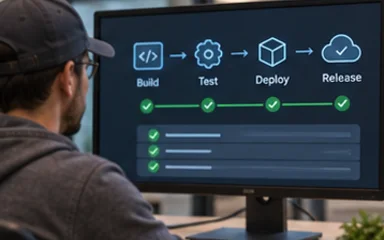
Explore how Jenkins fits into a delivery workflow and use it to organise build and automation tasks. Relate the pipeline to the application and infrastructure tools used earlier in the course. The focus is on understanding how to make builds repeatable and inspect the outcome of each run. Connect the tools and configuration to the operational task, following how the workflow is executed and what evidence helps explain its result or failure.
Need the detailed syllabus? Request the course outline.
Check the course fit for your role and experience. Confirm the prerequisites, delivery scope and preparation before booking.
Check the full outline for this course’s tools and technologies. Confirm software versions, licences, accounts, equipment, access and installation requirements before joining.
Ask which preparation materials, follow-up resources or trainer support are included in your selected delivery.
Confirm the certificate, completion requirements and any assessed activities for your selected batch. A practical project does not by itself establish an assessed skills award.
Understand certificates and assessments →Confirm dates, venue, fees, available seats and delivery arrangements with Timmins before booking.
Ask Timmins about upcoming dates for this course.
View the public training calendar →Ask about another date or team delivery. Share your preferred timeframe, city or delivery mode and participant numbers. Timmins will discuss the options; dates, trainer availability, delivery and fees must be confirmed separately. Sending an enquiry does not reserve a place or confirm a class.
Your selected course is included in the draft. Review it and press Send in your messaging app.
DevOps Engineers, System Administrators, and Software Engineers.
Participants are assumed to have some basic working knowledge in Linux command-line. Basic working knowledge in Git/GitHub assumed. Participants are open to do hands-on exercises.
Check the full outline for this course’s tools and technologies. Confirm software versions, licences, accounts, equipment, access and installation requirements before joining.
The learning plan describes the course topics and activities in the published summary. Ask Timmins to confirm the exercises, trainer feedback and any assessed activities for your selected delivery. Completion and assessed credentials have different requirements.
AI-assisted activities are not listed in this course summary. Ask Timmins to confirm the scope of your selected delivery rather than assuming AI tools are included.
Discuss an in-house programme with Timmins. Share the team’s roles, starting knowledge and workplace challenges. Agree any adaptations, assessment and follow-up support in the proposal.