Collect, transform and aggregate data
Load data from files, databases or APIs into Jupyter.
Explore the course learning plan Training & Capability DevelopmentLearn. Practise. Apply.⌕
Create plots using Matplotlib, Seaborn or Plotly.
Use Jupyter and Python to turn raw data into an analysis. Load and join datasets in Pandas, then explore results with charts, summary statistics and hypothesis tests.
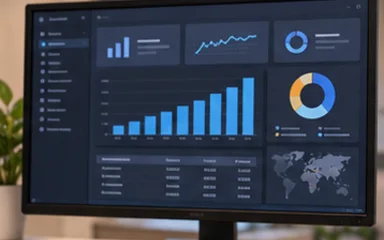
Load data from files, databases or APIs into Jupyter.
Explore the course learning planUse charts such as histograms, scatter plots and heatmaps to look for distributions and relationships.
Explore the course learning planLoad data from files, databases or APIs into Jupyter. Practise NumPy operations, then select, filter and reshape records with Pandas DataFrames. Combine data from separate sources, group it by useful categories and calculate summary statistics to answer an initial question about the combined dataset. Follow the data from its source through the processing steps to the resulting output, checking how transformations affect the meaning of the information.
Use charts such as histograms, scatter plots and heatmaps to look for distributions and relationships. Check data types and missing values as part of the exploration, then correct common quality problems. Use basic statistical techniques to interpret the patterns and explain what the analysis shows. Follow the data from its source through the processing steps to the resulting output, checking how transformations affect the meaning of the information.
Need the detailed syllabus? Request the course outline.
Check the course fit for your role and experience. Confirm the prerequisites, delivery scope and preparation before booking.
Check the full outline for this course’s tools and technologies. Confirm software versions, licences, accounts, equipment, access and installation requirements before joining.
Ask which preparation materials, follow-up resources or trainer support are included in your selected delivery.
Confirm the certificate, completion requirements and any assessed activities for your selected batch. A practical project does not by itself establish an assessed skills award.
Understand certificates and assessments →Confirm dates, venue, fees, available seats and delivery arrangements with Timmins before booking.
Ask Timmins about upcoming dates for this course.
View the public training calendar →Ask about another date or team delivery. Share your preferred timeframe, city or delivery mode and participant numbers. Timmins will discuss the options; dates, trainer availability, delivery and fees must be confirmed separately. Sending an enquiry does not reserve a place or confirm a class.
Your selected course is included in the draft. Review it and press Send in your messaging app.
Python users who want to apply their programming skills to data preparation, analysis and reporting.
Prior Python programming experience. The source outline uses Jupyter Notebooks on Windows 11.
Check the full outline for this course’s tools and technologies. Confirm software versions, licences, accounts, equipment, access and installation requirements before joining.
The learning plan describes the course topics and activities in the published summary. Ask Timmins to confirm the exercises, trainer feedback and any assessed activities for your selected delivery. Completion and assessed credentials have different requirements.
AI-assisted activities are not listed in this course summary. Ask Timmins to confirm the scope of your selected delivery rather than assuming AI tools are included.
Discuss an in-house programme with Timmins. Share the team’s roles, starting knowledge and workplace challenges. Agree any adaptations, assessment and follow-up support in the proposal.