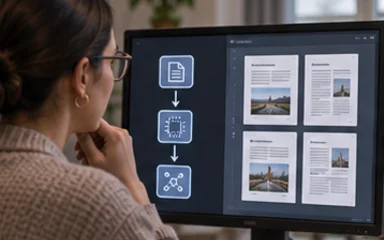
Build agents that use function calling, OpenAPI tools or reference data.
This 48-hour intensive program provides a comprehensive, hands-on exploration of building, deploying, and evaluating production-ready AI agents using Microsoft Azure.
Explain how Azure AI Foundry projects, agents and tools fit together.
Build agents that use function calling, OpenAPI tools or reference data.
Compare single-agent and multi-agent approaches and review deployment options.
Your practical and learning focus
GenAI Primer (GA-101) and building a Bing Web Searcher Agent
Explore GenAI, Agents, and Compound AI Systems and the role of Azure OpenAI. Explore Azure AI foundry studio Hub, Differences between standalone projects and Hub-Based projects, and Which Azure AI foundry SDK to Use (Conceptual Overview).
Explore this in the course plan
Building an Agent with Function Calling and building a Code Interpreter Agent
Explore Function calling, What We will Be building (Conceptual Overview), and the OpenWeather API. Explore the role of OpenAPI Tools and What We will Be building (Conceptual Overview).
Explore this in the course plan
Microsoft Agent Framework with Microsoft Foundry and Azure AI Content Understanding
Explore Microsoft agent framework, GitHub repository overview for this module, and Microsoft foundry architecture and deployment concepts. Explore AI foundry local, Architecture of AI foundry local on developer devices, and Calling foundry local models via Python – conceptual flow.
Get the course outlineReview the syllabus and prerequisites
Your course learning plan
Sections 1–4 — GenAI Primer (GA-101) and building a Bing Web Searcher Agent
Explore GenAI, Agents, and Compound AI Systems and the role of Azure OpenAI. Explore Azure AI foundry studio Hub, Differences between standalone projects and Hub-Based projects, and Which Azure AI foundry SDK to Use (Conceptual Overview). Explore Azure AI agents service, Productionizing AI Agents with Azure API Management, and Azure AI Foundry SDK Overview and Comparison with Assistants API. Explore Bing Web searcher agent – conceptual overview and Bing grounding resource architecture.
Sections 5–8 — Building an Agent with Function Calling and building a Code Interpreter Agent
Explore Function calling, What We will Be building (Conceptual Overview), and the OpenWeather API. Explore the role of OpenAPI Tools and What We will Be building (Conceptual Overview). Explore the what, Why, and How of RAG, the role of vector embeddings, and Vector search with Azure cognitive search – theory. Explore Code interpreter agent – conceptual overview.
Sections 9–12 — Multiple Tools with a Single Agent and Semantic Kernel Agent Framework
Explore multi-Tool agent design overview. Explore model context protocol (MCP), Detailed breakdown of MCP, and Claude desktop and GitHub copilot on VS code – conceptual usage. Explore building agentic workflows with semantic kernel, Plugins in semantic kernel, and Prompt template plugins. Explore the semantic kernel agent framework. Connect the framework choices to the tools an agent can call and the steps it coordinates.
Sections 13–16 — Microsoft Agent Framework with Microsoft Foundry and Azure AI Content Understanding
Explore Microsoft agent framework, GitHub repository overview for this module, and Microsoft foundry architecture and deployment concepts. Explore AI foundry local, Architecture of AI foundry local on developer devices, and Calling foundry local models via Python – conceptual flow. Explore GenAI Evaluation and AI Evaluation SDK, Mechanics of the AI evaluation SDK – How It works, and Evaluating RAG Agents with Groundedness. Explore Azure AI content understanding, Pricing clarity for Azure AI content understanding, and Content understanding architecture in Azure portal.
The outline is organised by modules, topics or sessions rather than a confirmed daily timetable. These sections cover the published 6 days programme; confirm their day-by-day allocation with Timmins.
Discuss your role, experience and intended application with Timmins to confirm whether this programme is suitable.
Before you join
Working knowledge of Python
Basic understanding of APIs and JSON
Familiarity with Azure or cloud fundamentals
Understanding of LLM concepts and prompt engineering
Basic awareness of embeddings and vector search
Confirm the course fit for your role and experience. Agree software versions, account access, licences and any data permissions before joining.
Tools and learning support
Use the tools and platforms specified in this course’s outline. Confirm the versions, account tiers, licences, API or cloud access and any usage costs needed for your selected delivery. Review AI-generated results against the task and evidence; obtain permission before using company or personal data.
Ask which preparation materials, follow-up resources or trainer support are included in your selected delivery.
Certificate and assessment
Confirm the certificate, completion requirements and any assessed activities for your selected batch. A practical project does not by itself establish an assessed skills award.
Ask about another date or team delivery. Share your preferred timeframe, city or delivery mode and participant numbers. Timmins will discuss the options; dates, trainer availability, delivery and fees must be confirmed separately. Sending an enquiry does not reserve a place or confirm a class.
Your selected course is included in the draft. Review it and press Send in your messaging app.
Frequently asked questions
Who is this course designed for?
Share your role, experience and intended application with Timmins so we can confirm the fit against this course’s scope and prerequisites.
What starting knowledge do I need?
Working knowledge of Python Basic understanding of APIs and JSON Familiarity with Azure or cloud fundamentals Understanding of LLM concepts and prompt engineering Basic awareness of embeddings and vector search
Which AI tools and accounts will I need?
Check the full course outline for the named tools and platforms. Confirm software versions, account tiers, licences, API access, cloud resources and any usage costs with Timmins before booking. Requirements vary between courses.
How should I review AI-assisted work?
Check outputs against the task, source information and relevant technical or business requirements. AI-generated code, analysis and text require human review. Confirm which exercises, trainer feedback and any assessed activities are included in your selected delivery.
Can we use our own workplace examples?
Discuss your intended use cases with Timmins before sharing information. Agree the scope and use approved or sanitised examples where needed. Any team adaptation, assessment or follow-up support should be confirmed in the proposal.