Adaptive AUTOSAR architecture
Compare Classic and Adaptive AUTOSAR and see how applications and functional clusters run on a POSIX platform.
See the detailed course outline Training & Capability DevelopmentLearn. Practise. Apply.⌕
Explain the differences between Classic and Adaptive AUTOSAR.
Develop and integrate Adaptive AUTOSAR applications. Use a Raspberry Pi environment to explore the platform and practise service-oriented communication.
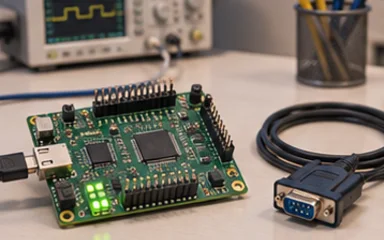
Compare Classic and Adaptive AUTOSAR and see how applications and functional clusters run on a POSIX platform.
See the detailed course outlineExplore how vehicle applications discover services and exchange data using SOME/IP.
See the detailed course outlineDevelop and integrate an adaptive application in the Raspberry Pi environment. Review how updates and security fit into the platform lifecycle.
See the detailed course outlineCompare Classic and Adaptive AUTOSAR and examine why the Adaptive platform uses a POSIX operating system. Review platform foundations, functional clusters and application structure before setting up the Raspberry Pi environment described in the outline. The practical work connects the architecture to a running platform, including configuration and validation of multicore support, so subsequent communication and application exercises have a clear technical starting point.
Explore the Adaptive AUTOSAR software stack and the responsibilities of execution management, communication management, security and diagnostics. Follow how these functional clusters support applications and interact within the platform. Practical activities implement software stack components on Raspberry Pi and introduce a basic TCP/IP client and server. The emphasis is on connecting platform responsibilities with the communication mechanisms used between automotive software components.
Examine service oriented architecture and the role of SOME/IP in Adaptive AUTOSAR communication. Review protocol behaviour and transport choices before developing a service oriented application in the Raspberry Pi environment. Configure Ethernet communication and relate the observed exchanges to the platform architecture. The day connects service design with network communication so participants can understand how distributed vehicle applications discover and use platform services.
Develop Adaptive AUTOSAR applications while examining execution context, real time behaviour and interprocess communication. The outline introduces C++ application development and IPC mechanisms on Raspberry Pi, connecting application structure to the services supplied by the platform. Practical work focuses on communication between processes and the implications of execution behaviour, helping participants distinguish application responsibilities from operating system and platform responsibilities during integration.
Review over the air updates, software provisioning and cybersecurity in the Adaptive platform, then examine its relationship with autonomous driving applications. The outlined activities include simulating an update process and working with a small Raspberry Pi sensor based system. Participants connect these examples to platform lifecycle and security considerations, while discussing emerging directions and the practical constraints involved in maintaining adaptive automotive applications.
Need the detailed syllabus? Request the course outline.
Check prerequisites and confirm the course fit with Timmins for your role, experience and selected delivery.
Check the course outline for the software, development environment and any target hardware. Confirm installation steps, versions, equipment access and lab arrangements before joining.
Ask which preparation materials, follow-up resources or trainer support are included in your selected delivery.
Confirm the certificate, completion requirements and any assessed activities for your selected batch. A practical project does not by itself establish an assessed skills award.
Understand certificates and assessments →Confirm dates, venue, fees, available seats and delivery arrangements with Timmins before booking.
Ask Timmins about upcoming dates for this course.
View the public training calendar →Ask about another date or team delivery. Share your preferred timeframe, city or delivery mode and participant numbers. Timmins will discuss the options; dates, trainer availability, delivery and fees must be confirmed separately. Sending an enquiry does not reserve a place or confirm a class.
Your selected course is included in the draft. Review it and press Send in your messaging app.
Automotive software and platform engineers working with service-oriented vehicle systems.
Ask Timmins to confirm the starting knowledge and experience for this course before booking.
Check the outline and confirm the software environment, hardware, equipment access and setup requirements for your selected delivery. Do not assume all courses use the same board or lab environment.
The course topics describe the technical scope. Ask Timmins to confirm the labs, demonstrations and any assessed activities for your selected programme. Completion and assessed credentials have different requirements.
Discuss an in-house session with Timmins. Share the team’s roles, systems and intended outcomes so the scope, prerequisites, delivery and any adaptations can be agreed.